
Android · free · no ads
The basketball shot tracker that counts out loud
Set your phone up facing the hoop, on a small tripod or propped on the ground. Earbuds in, then shoot. GetBuckets calls every make and miss.
On iPhone? Get an email when it lands →
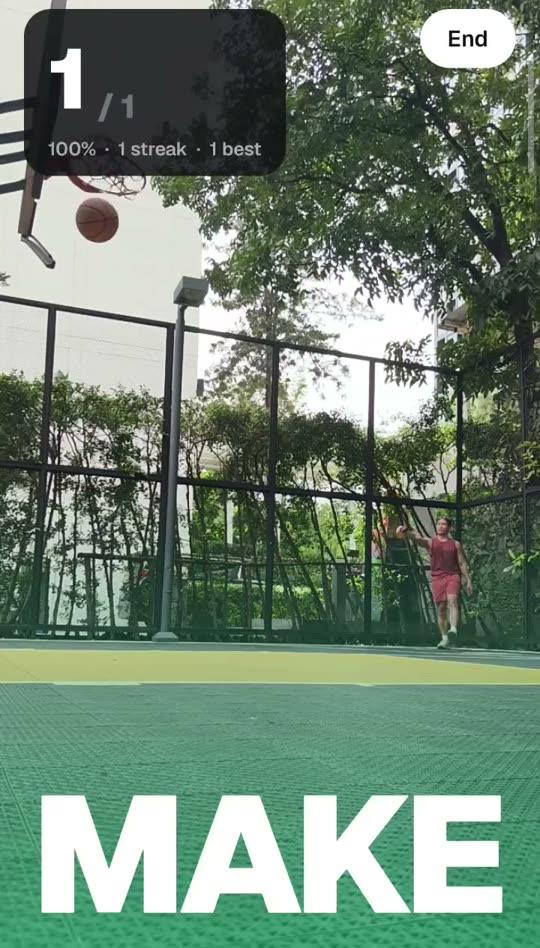
- Make. 12 of 15.
- Miss.
- 5 in a row.
How it works
Three things, then you just shoot.
Step 01
Set the phone up
A small tripod five to ten metres back, facing the hoop with the ring and a bit of sky in frame, is ideal. No tripod? Propping it on the ground against a water bottle works too.
Step 02
It finds the ring
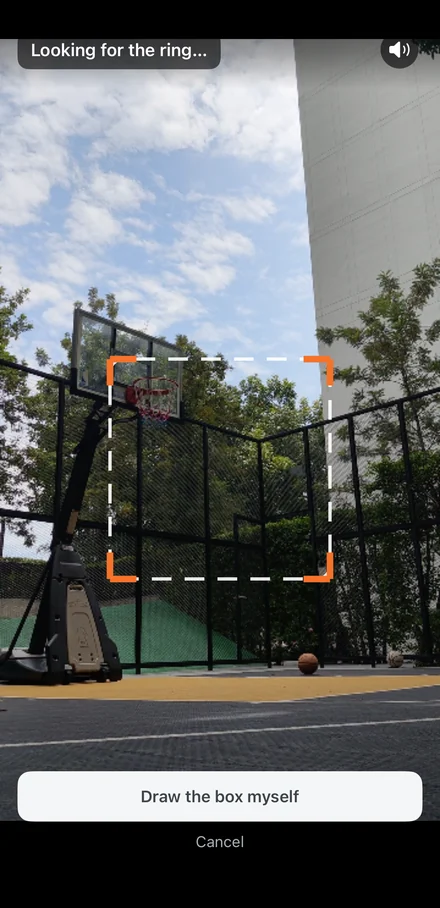
No taping the screen, no drawing a box. GetBuckets locks onto the ring by itself and tells you when it is ready to count.
Step 03
Shoot and listen
Earbuds in, and go. Every make and miss is called out loud with your running count and streak, so you never look at the phone.
Features
A basketball training app that does the counting for you.
No sensors, no wearables, no account. One phone, one ball, one hoop.
Spoken callouts
Make, miss, the running count and the streak, said out loud through your earbuds. Your eyes stay on the rim.
Make/miss detection
On-device AI watches the ball through the ring. Rattle-ins count. Airballs and bricks do not.
Streaks and percentages
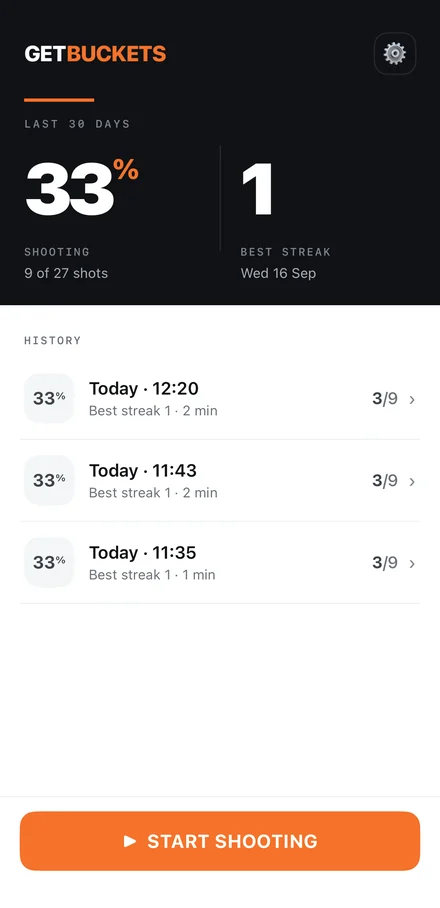
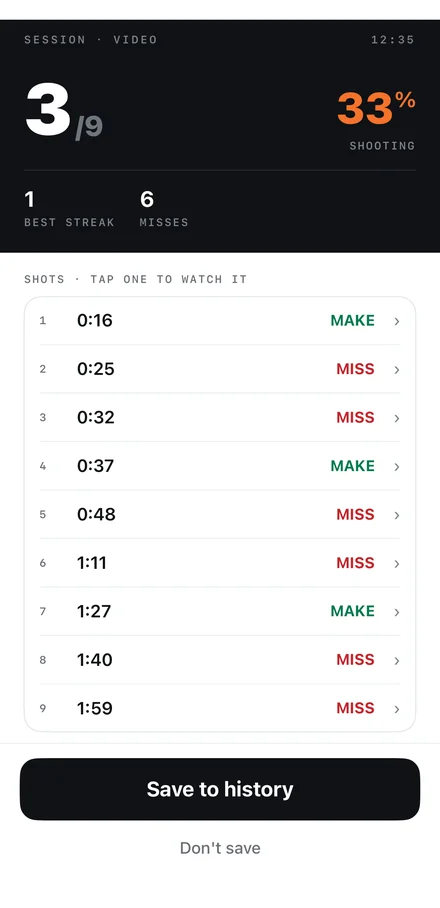
Every session is saved with makes, misses, best streak and length. Home shows your last 30 days at a glance.
A clip of every shot
Open a session, tap a shot, watch it back. Keep the clips or bin them when the session ends. Your call.
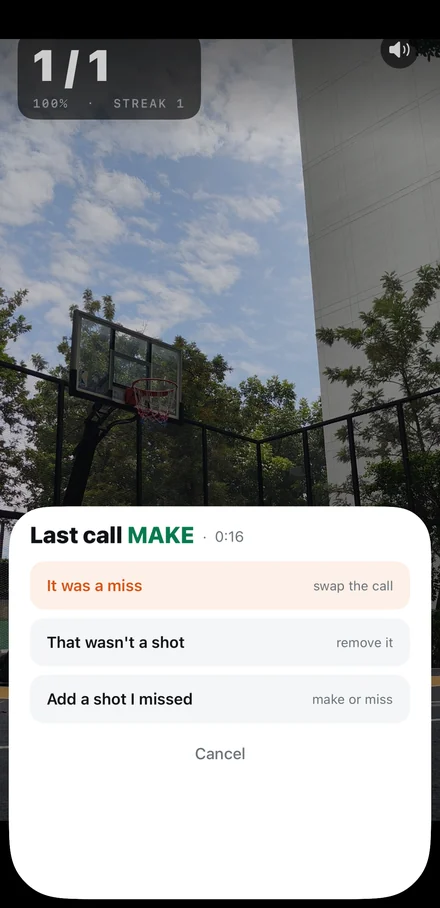
Fix a call from your earbuds
It gets the odd one wrong. Double tap an earbud to swap the last make and miss, triple tap to remove a shot that was not one.
Works offline, nothing uploaded
No internet permission at all. No account, no ads. Video, clips and results never leave your phone.
Built for real courts
The court down the road, not a lab.
Outdoor or indoor, any hoop with the ring clearly visible. Built and tested on public courts with the phone on a cheap tripod, or just propped on the ground, with no marker and no second person filming.
- Outdoor and indoor hoops
- Any ring height, any court
- One shooter, one ball
- No wearables or sensors
A 50-shot session on a suburban outdoor court: 34 makes, 16 misses, 68%, best streak 7, counted and called without touching the phone once.
FAQ
Questions people ask
Which phones does it work on?
Any Android phone running Android 10 or newer with a rear camera. Detection runs on the phone itself; newer phones with a working GPU delegate run it faster, and older ones fall back to the CPU. An iPhone version is on the way.
Does it need the internet?
No. GetBuckets has no internet permission, so it cannot upload anything even if it wanted to. Everything (the camera, the detection, the clips and your session history) stays on your phone.
Where do I put the phone?
On a small tripod five to ten metres back from the hoop, facing it, with the ring and some sky in frame. That is the setup it likes best. No tripod? Stand it on the ground propped against a bag or a water bottle. Portrait, camera unobstructed, and close enough that the ring is at least a thumb-width wide on screen.
Does it work indoors?
Yes, in a reasonably lit gym with the ring clearly visible against the background. It is happiest outdoors in daylight with a nylon net. Chain nets and busy gyms with several shooters are still being tuned.
Does it record video?
It keeps a short clip of each shot on the phone so you can check a call afterwards. When the session ends you choose whether to keep the clips or delete them. Nothing is uploaded either way.
Is GetBuckets free?
Yes. Free on Google Play, with no ads, no subscription and no in-app purchases.